The Hidden Cost of Vibe Coding Nobody Talks About
AI can write code. Can it build a programmer?
6 min readProgramming with me
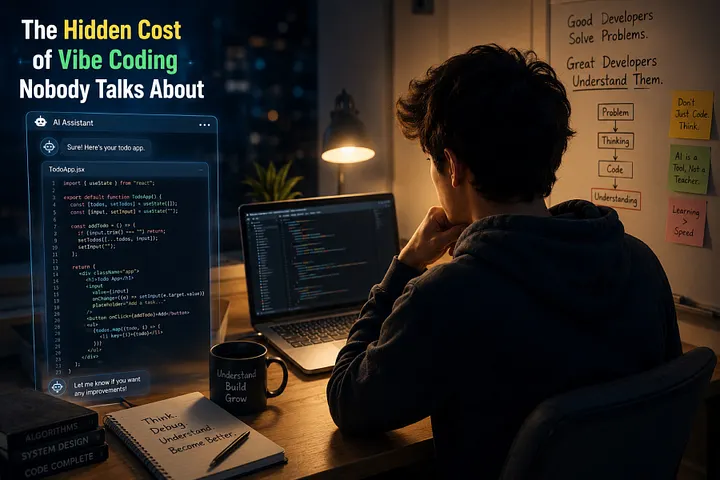
A beginner opens Cursor AI and types: “Build me a todo app.”
Thirty seconds later, the app works. Buttons click. Tasks appear. Tasks disappear.
The beginner smiles, closes the laptop, and quietly believes something just happened that didn’t actually happen.
That quiet misunderstanding is costing more beginners than they realize.
Why Vibe Coding Feels So Good
There’s a reason vibe coding spread so fast. It removes almost everything that used to make programming frustrating for beginners.
No staring at a blank file wondering where to start. No re-reading a syntax error for the tenth time. No hour lost to a missing semicolon.
You describe what you want, and something real appears. That feeling – describing an idea and watching it become software – is genuinely exciting. It’s not fake, and it’s not silly to enjoy it.
The problem isn’t the excitement. It’s what the excitement quietly replaces.
The Hidden Cost Nobody Notices
Here’s what tends to slip away without anyone noticing:
Thinking through the problem before touching code.
Reading error messages slowly enough to understand them.
Sketching out how pieces of a system should connect before building any of them.
Opening documentation instead of just asking for the answer.
Sitting with a bug for twenty minutes instead of pasting it somewhere and waiting.
None of these steps feel like “real progress” in the moment. There’s no visible output while you’re doing them. But they’re exactly the steps that build the skill of programming, as opposed to the output of programming.
Skip them enough times, and you end up with a folder full of working projects and a strange, growing sense that you don’t actually understand any of them.
Copying Isn’t Understanding
Say the AI builds a login page for you. It works. You test it, it logs you in, you move on.
Now picture this: three weeks later, in production, login randomly fails for about 2% of users. No obvious pattern. No error message anyone can point to.
Could you find that bug?
Would you know where to even start looking – the session handling, the token expiration, a race condition, a database timeout?
If the honest answer is “not really,” that’s worth sitting with. Not as a judgment, just as information. It means the login page got built, but the understanding of how logins actually work never got transferred from the AI to you.
Working code and understood code look identical on the surface. They behave very differently the moment something goes wrong.
The Debugging Muscle
Debugging is often treated like the annoying part of programming. It’s actually closer to the core of it.
Every real bug forces you to build a mental model of a system: what should happen, what’s actually happening, and where those two things split apart.
That skill doesn’t come from watching code get generated. It comes from staring at broken code that’s yours, feeling mildly frustrated, and slowly working out why line 47 isn’t doing what you expected.
Beginners who skip this step aren’t just missing “debugging practice.” They’re missing the process that teaches them how software actually behaves – which is a very different thing from how software is supposed to behave on paper.
The Confidence Trap
Here’s the strange part: skipping all this doesn’t feel bad while it’s happening. It feels great.
Projects work. Apps run. A portfolio starts to fill up. Confidence grows fast, because success is fast.
Then one day the AI tool is down, or the interviewer asks “walk me through how this function works,” or a teammate says “can you fix this bug, I’m stuck” – and the confidence built on generated code doesn’t transfer to a moment that requires actual understanding.
It’s not that the person is lying about their skill. It’s that the skill genuinely wasn’t built yet, even though the projects were.
Six Months Later: Two Very Different Beginners
Imagine two beginners starting the same programming course on the same day.
Beginner A opens every exercise by describing it to an AI tool and pasting in the result. Projects finish quickly. The portfolio grows fast. Very little time is spent stuck.
Beginner B tries to solve each problem first, even badly. Gets stuck often. Reads the error message. Tries again. Only after real effort does Beginner B ask AI for help – then reads the explanation carefully instead of just copying the fix.
Six months in, Beginner A has more finished projects. Beginner B has fewer, but can explain how every one of them works, can debug a stranger’s code, and can adapt when a new problem doesn’t match anything they’ve seen before.
Both beginners used AI. Only one of them used it in a way that built a skill instead of just a portfolio.
AI Isn’t the Enemy
None of this means AI tools are bad for learning. The opposite is closer to true.
Tools like ChatGPT, Claude, GitHub Copilot, Gemini, and Cursor AI are some of the best learning tools ever handed to beginners. They can explain a confusing error in plain language, show alternative ways to solve a problem, and remove hours of frustration that used to just be wasted time.
The tool isn’t the issue. The order of operations is.
How to Use AI Without Hurting Your Growth
A few practical habits make the difference:
Solve first, even badly. Give the problem real effort before asking for help. A wrong attempt teaches you more than a perfect answer you didn’t earn.
Ask AI second, not first. Use it to check your thinking or unblock you, not to skip the thinking entirely.
Read every line it gives you. If you don’t understand a line, that’s the exact line worth asking about.
Rewrite the solution from memory afterward. If you can’t reproduce it without looking, you haven’t learned it yet – you’ve just seen it.
Break the code on purpose. Change a variable, remove a line, see what fails. This teaches you more about why it worked than reading it ever will.
Debug your own mistakes before asking for the fix. Sit with the error for a few minutes first.
Ask “why,” not just “how.” “How do I fix this” gets you code. “Why did this happen” gets you understanding.
Before You Close Your Editor Today
When AI writes your code, what exactly are you learning in that moment?
If the AI disappeared right now, could you rebuild what you just made – maybe not perfectly, but well enough?
Are you collecting finished projects, or are you collecting understanding?
Conclusion
Vibe coding isn’t a shortcut around learning to program. Used the right way, it’s one of the fastest learning accelerators available. Used the wrong way, it’s a very convincing way to feel like you’re progressing while quietly standing still.
The difference isn’t the tool. It’s whether you’re still the one doing the thinking.
Code eventually stops running. Understanding keeps working for the rest of your career.
When you open your editor tomorrow, will AI be helping you think – or thinking for you?
More in artificial-intelligence
Cubed
Write about the technologies shaping the future.
For developers, founders, and curious minds exploring AI, crypto, Web3, and emerging tech—signal over noise.
One free account across In Plain English, Stackademic, Venture, and Cubed.
How it works- AI, crypto & Web3
- Software & emerging technologies
- Analysis & practical resources
- Thoughtful voices, not hype
Sign in
Google or GitHub
Complete profile
Takes a few minutes
Get approved & publish
Start sharing
Why write for Cubed?
The future deserves thoughtful voices, not just louder headlines.

Comments
Loading comments…