How the Openwork Open-Source Project Forced Anthropic to Rethink AI Pricing
3 min readCreateMoMo
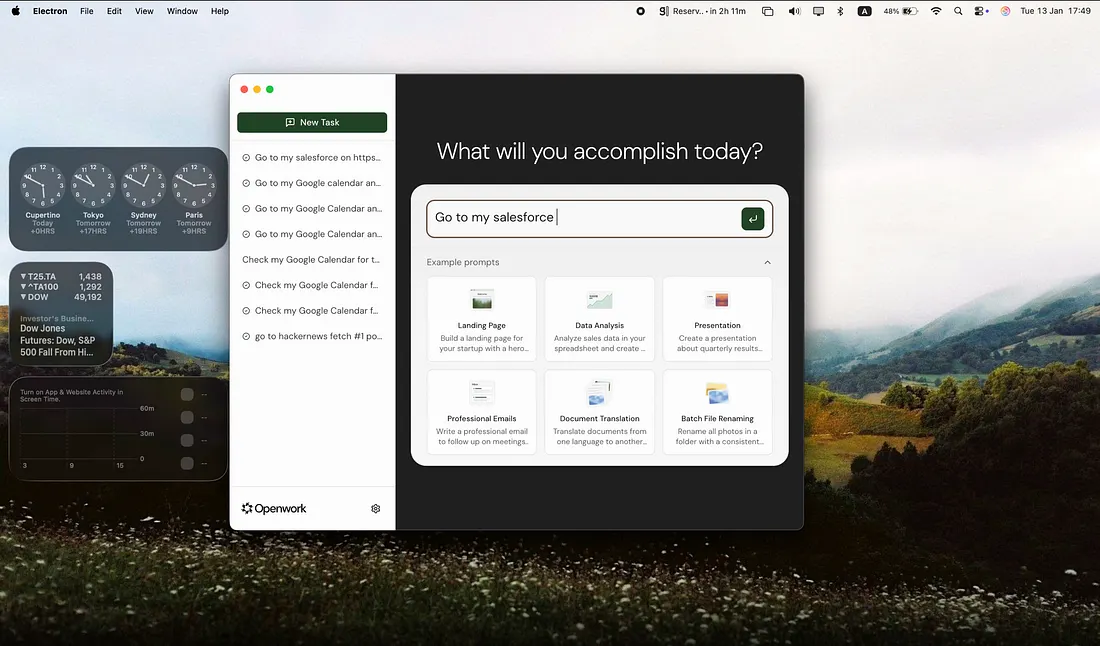
In January 2026, a quiet revolution erupted in the AI world — not from a Silicon Valley giant, but from a community-driven open-source project named Openwork. Built in just days and released to the public under an open license, Openwork offered a free, faster, and arguably more secure alternative to Anthropic’s newly launched Cowork AI assistant. The market reaction was immediate: within hours, the open project ignited developer attention, challenging entrenched pricing models and redefining where pricing power lies in the era of autonomous AI agents.
Openwork: A Community-Powered AI Workhorse
Openwork is an open-source, desktop AI agent that lets users automate knowledge work — from organizing files and generating reports to summarizing documents — all while keeping the user fully in control of permissions and execution logs. It runs locally and uses whichever LLM API key the user supplies (OpenAI, Anthropic, etc.), meaning no recurring subscription is required.
Typical use cases
- Cleaning up messy folders by project, file type, or time
- Drafting, summarizing, or rewriting documents and reports
- Automating browser-based workflows like research or form filling
- Generating weekly updates from files and notes
- Preparing meeting materials from documents and calendars
Models, privacy, and system requirements
You can choose between multiple AI providers, including OpenAI, Anthropic, Google, xAI, or even local models via Ollama.
Most importantly, it is privacy-first and local: the software runs on your own machine, your files never leave your device, and you decide exactly which folders it can access.
Currently, it supports macOS (Apple Silicon), with Windows support coming soon.
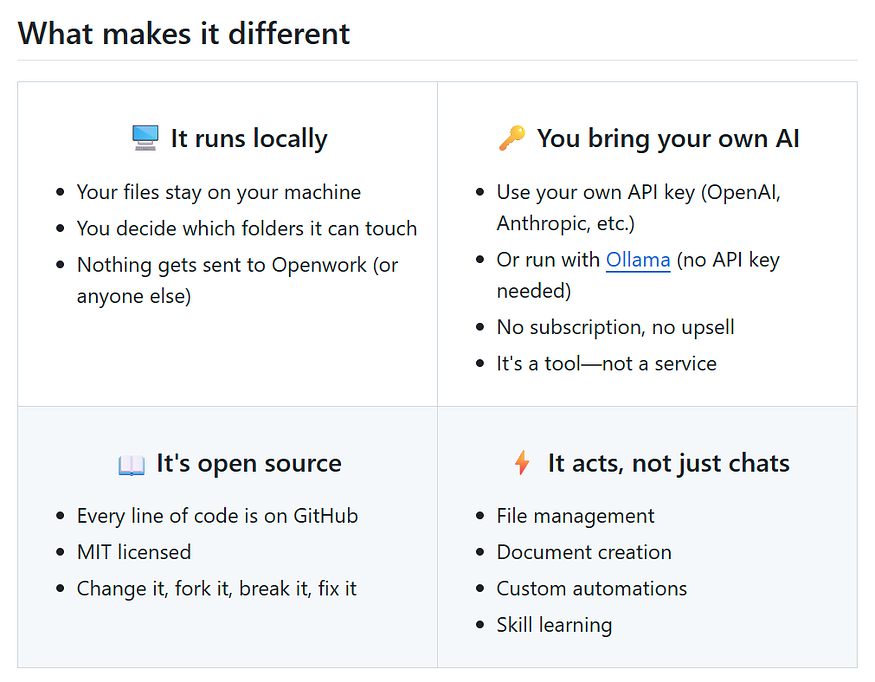
https://github.com/accomplish-ai/openwork
In contrast with proprietary alternatives, Openwork emphasizes transparency, extensibility, and user control, traits that resonate with developers and privacy-conscious users alike. Its intuitive workflow, approval-based execution, and desktop-native design made it quick to adopt, star, and share.
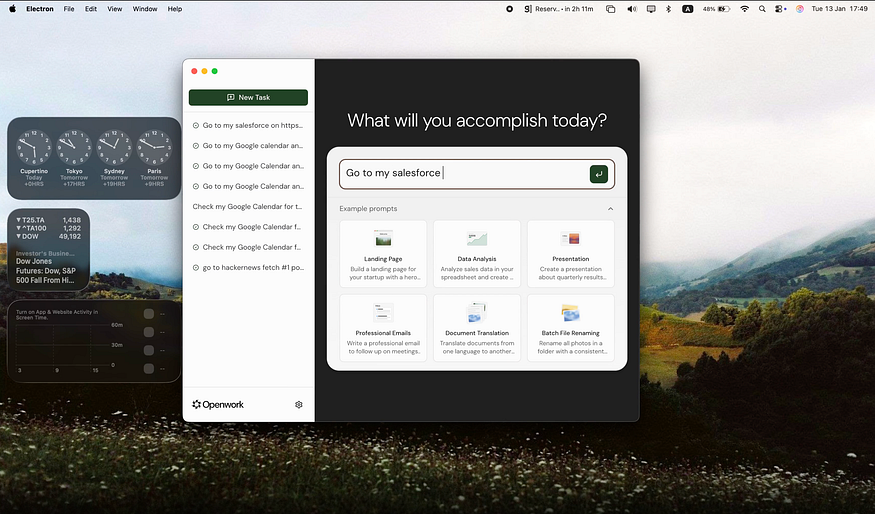
Demo: Openwork — The open source AI coworker that lives on your desktop
Anthropic’s Cowork: An Ambitious Product Facing Open-Source Pressure
Around the same time, Anthropic — the AI research company behind the Claude family of models — unveiled Cowork, a built-in AI assistant within the Claude ecosystem aimed at non-technical users. Cowork extends Anthropic’s Claude Code capabilities, empowering users to delegate complex, multi-step tasks to an AI “digital coworker” capable of reading and modifying files, running batch tasks, and orchestrating workflows — all via natural language.
Initially, Cowork was exclusively available to Claude Max subscribers, a premium tier costing around $100–$200 per month and restricted to macOS users.
However, the launch of Openwork — free, open, and cross-platform — immediately captured the attention of developers and productivity enthusiasts. With Openwork demonstrating similar autonomous capabilities without a paywall, Anthropic was compelled to adjust its pricing, lowering the tier required to access Cowork from the highest subscription level to a more affordable ~$20 plan. This rare move signaled a shift in power: users and open-source alternatives now directly influence pricing strategies of major AI companies.
More in anthropic


Cubed
Write about the technologies shaping the future.
For developers, founders, and curious minds exploring AI, crypto, Web3, and emerging tech—signal over noise.
One free account across In Plain English, Stackademic, Venture, and Cubed.
How it works- AI, crypto & Web3
- Software & emerging technologies
- Analysis & practical resources
- Thoughtful voices, not hype
Sign in
Google or GitHub
Complete profile
Takes a few minutes
Get approved & publish
Start sharing
Why write for Cubed?
The future deserves thoughtful voices, not just louder headlines.
Frequently Asked Questions
Common questions about this topic
What is Openwork?
Openwork is a community-driven, open-source desktop AI agent that automates knowledge work such as organizing files, generating reports, and summarizing documents, while running locally and using whatever LLM API key the user supplies.
How does Openwork handle subscriptions and API usage?
Openwork requires no recurring subscription; it runs locally on the user’s machine and uses the LLM API key the user provides (for example OpenAI, Anthropic, Google, xAI, or local models via Ollama).
What privacy guarantees does Openwork provide?
Openwork runs locally on the user’s device, ensures files never leave the device, and gives users control over exactly which folders the software can access.
Which operating systems does Openwork support?
Openwork currently supports macOS on Apple Silicon, with Windows support coming soon.
What are common use cases for Openwork?
Common use cases include cleaning up messy folders by project, file type, or time; drafting, summarizing, or rewriting documents and reports; automating browser-based workflows like research or form filling; generating weekly updates from files and notes; and preparing meeting materials from documents and calendars.
What design principles distinguish Openwork from proprietary alternatives?
Openwork emphasizes transparency, extensibility, user control, an intuitive workflow, approval-based execution, and a desktop-native design, distinguishing it from proprietary alternatives.
What is Anthropic’s Cowork and how does it function?
Cowork is Anthropic’s built-in AI assistant within the Claude ecosystem that extends Claude Code capabilities to let users delegate complex, multi-step tasks, read and modify files, run batch tasks, and orchestrate workflows via natural language.
Who initially had access to Anthropic’s Cowork and at what cost?
Cowork was initially available exclusively to Claude Max subscribers, a premium tier costing around $100–$200 per month, and was restricted to macOS users.
How did Openwork’s release affect Anthropic’s pricing for Cowork?
The release of Openwork prompted Anthropic to lower the tier required to access Cowork from the highest subscription level to a more affordable plan priced at approximately $20.
What market implication did Openwork’s launch demonstrate?
Openwork’s launch demonstrated that open-source alternatives and users can directly influence pricing strategies of major AI companies by offering comparable autonomous capabilities without a paywall.
Where can the Openwork source code be found?
The Openwork source code and project repository are available at https://github.com/accomplish-ai/openwork.
Comments
Loading comments…